How to change your torrent client
During the order of your seedbox, you were asked which client you prefer as your default. However, if you ever change your mind in the future, it is simple to change your torrent client.
info
Each seedbox can only have only 1 torrent client running at any time. This is to allocate a fair share of resources for each user on the server.
The procedure is fairly simple:
-
Login to your client area. After you log in to your seedbox account, click in the "My Client Area" button.

-
In your dashboard, select the seedbox where you want to change your torrent client.
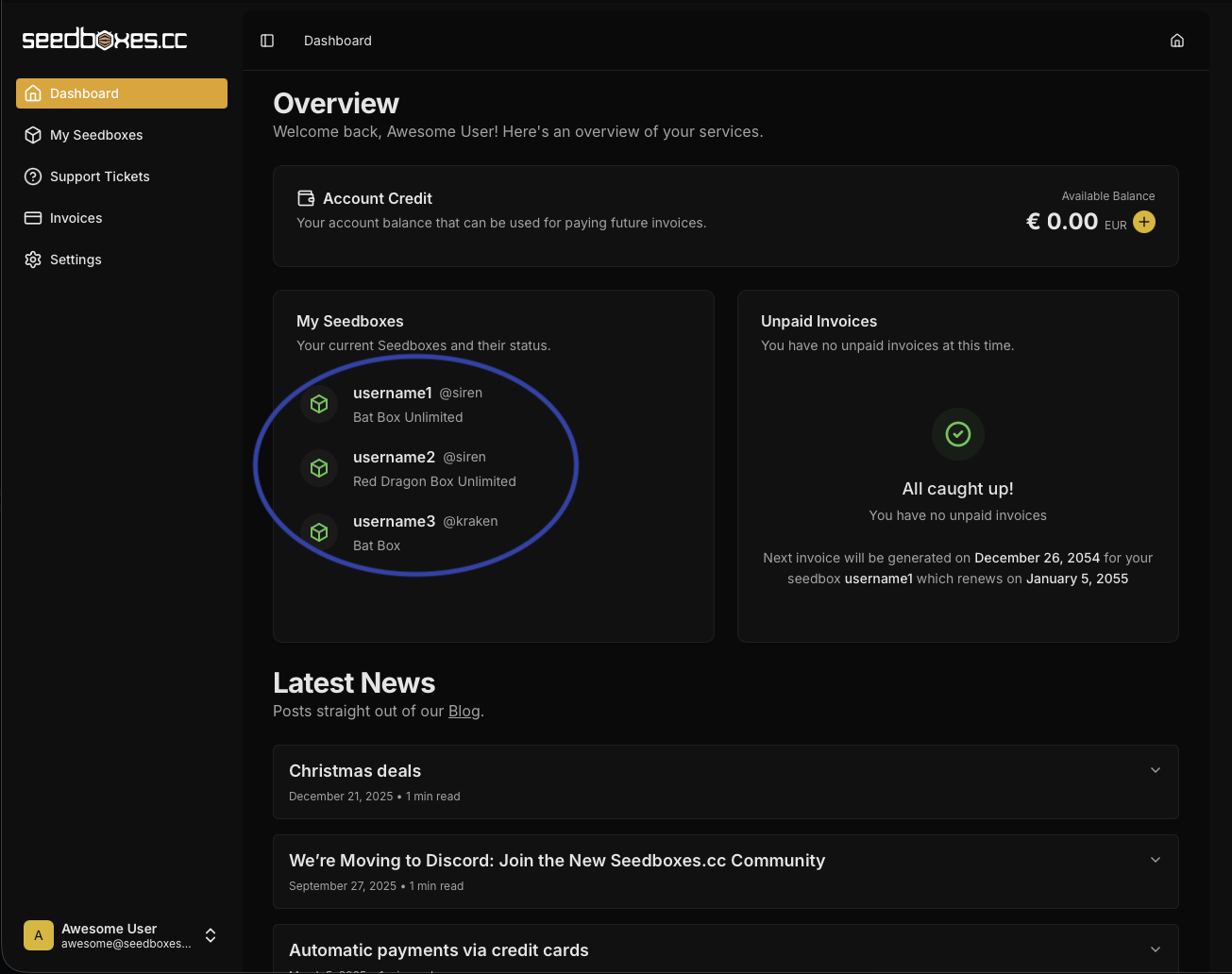
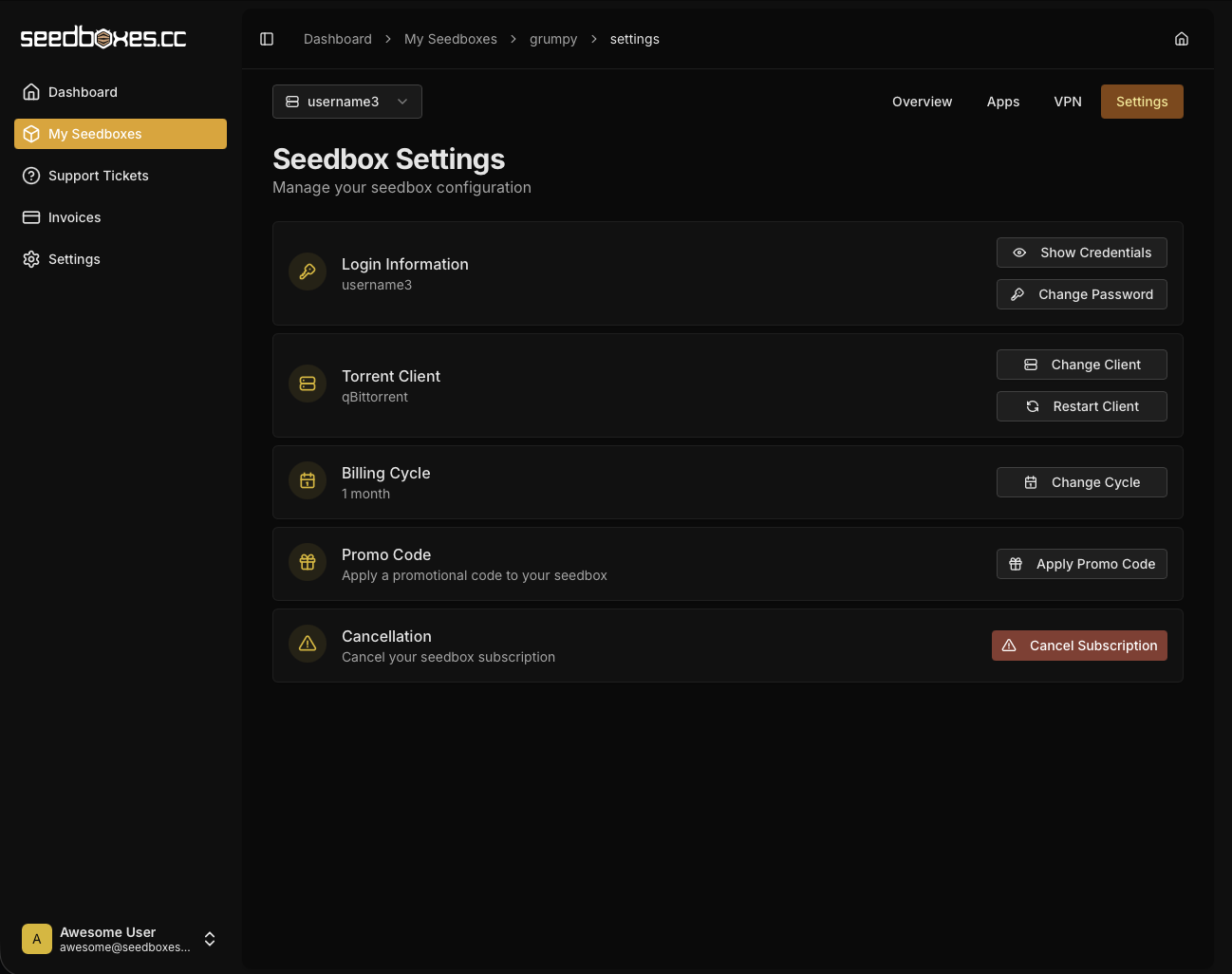
- Navigate to "Settings". Go to the "Torrent Client" section. Go to "Change Client".
- Select your preferred client and confirm your choice when prompted.
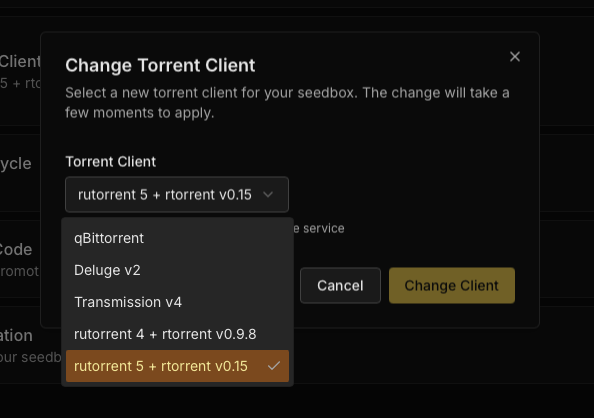
- You will receive a confirmation that your client has been changed. Please allow 1-2 minutes for the change to propagate to your server. Afterwards, you can see your new connection details, to the Overview Seedbox Page, under the "Connection Details" Section.