How to install our 1-click applications
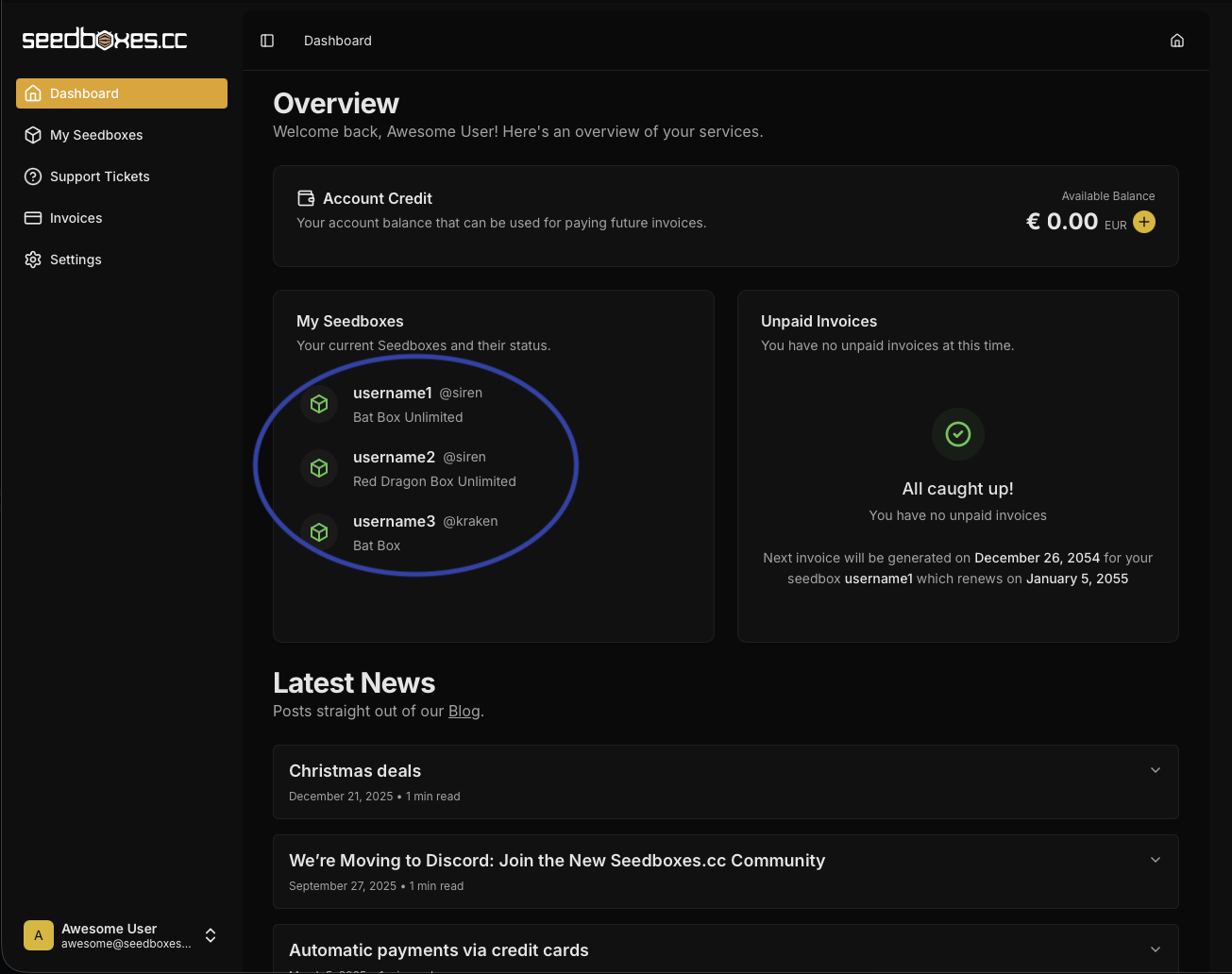
- Login to your client area. After you log in to your Seedboxes.cc account, click in the "My Client Area" button.

- Select the seedbox you are interested in from the "My Seedboxes" list.
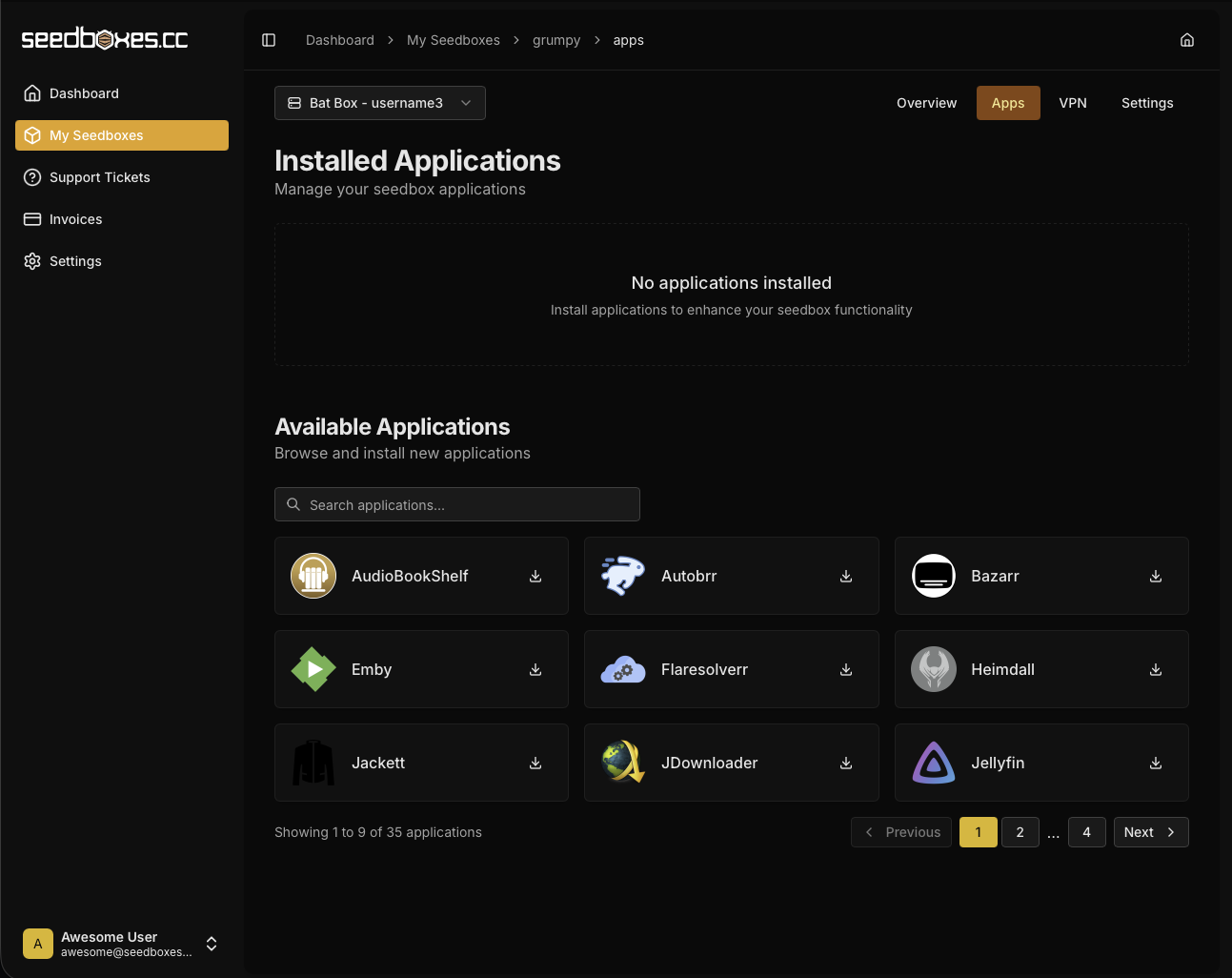
- Go to the Apps section, and at the Available Applications section locate the application you want to install and click Install. Wait a minute until the installation completes.
-
The application which you choose to install should now be listed under "Installed Applications".
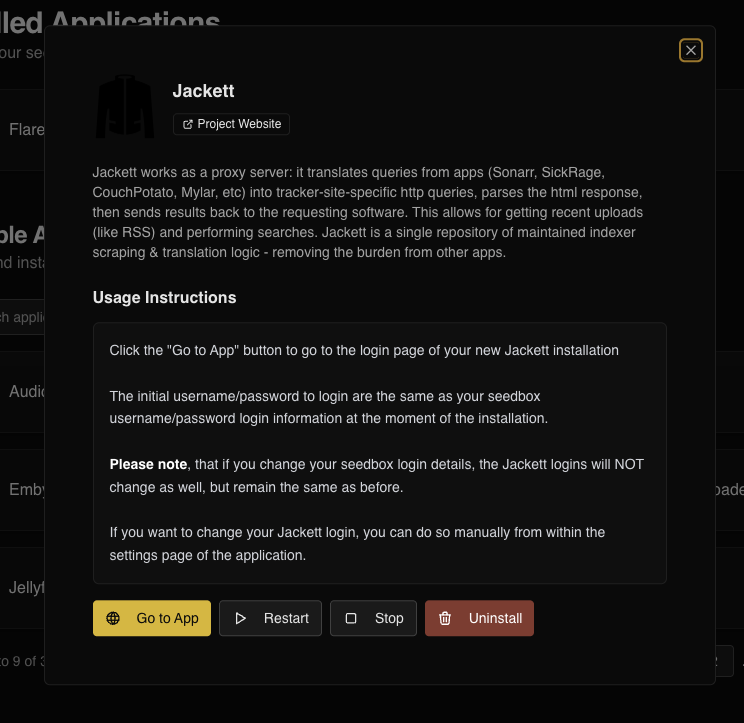
If you click on the installed Application, an info box will show you the instructions on how to use the application.
The following action buttons are available - wherever applicable - next to each application:
- Go to App: If the application has a web interface, then you can quickly access it with this button.
- Restart: Restarts the application
- Stop: Stops the application
- Uninstall: Removes the application.