How to Link Your PayPal Account or credit/debit card and Enable Automatic Payments
Introduction
It is possible to link a paypal account or your credit/debit card with your Seedboxes.cc account. When you have a linked paypal account you have the following options:
- It is possible to pay your invoices with a click of a button, without having to login to your paypal account or type your card's details every time
- It is possible to enable automatic payments, meaning we will charge your paypal account or card automatically every month to renew your service
In both cases, it is important to note, that we do not have access to your credit card information, or your paypal login information, nor we store any of the above details in our database. This "link" between your seedboxes.cc account and paypal or stripe can be deleted at any time, either from within your seedboxes.cc account or from within your paypal account.
How to set your default payment method
-
Login to your client area. After you log in to your seedbox account, click in the "My Client Area" button.

-
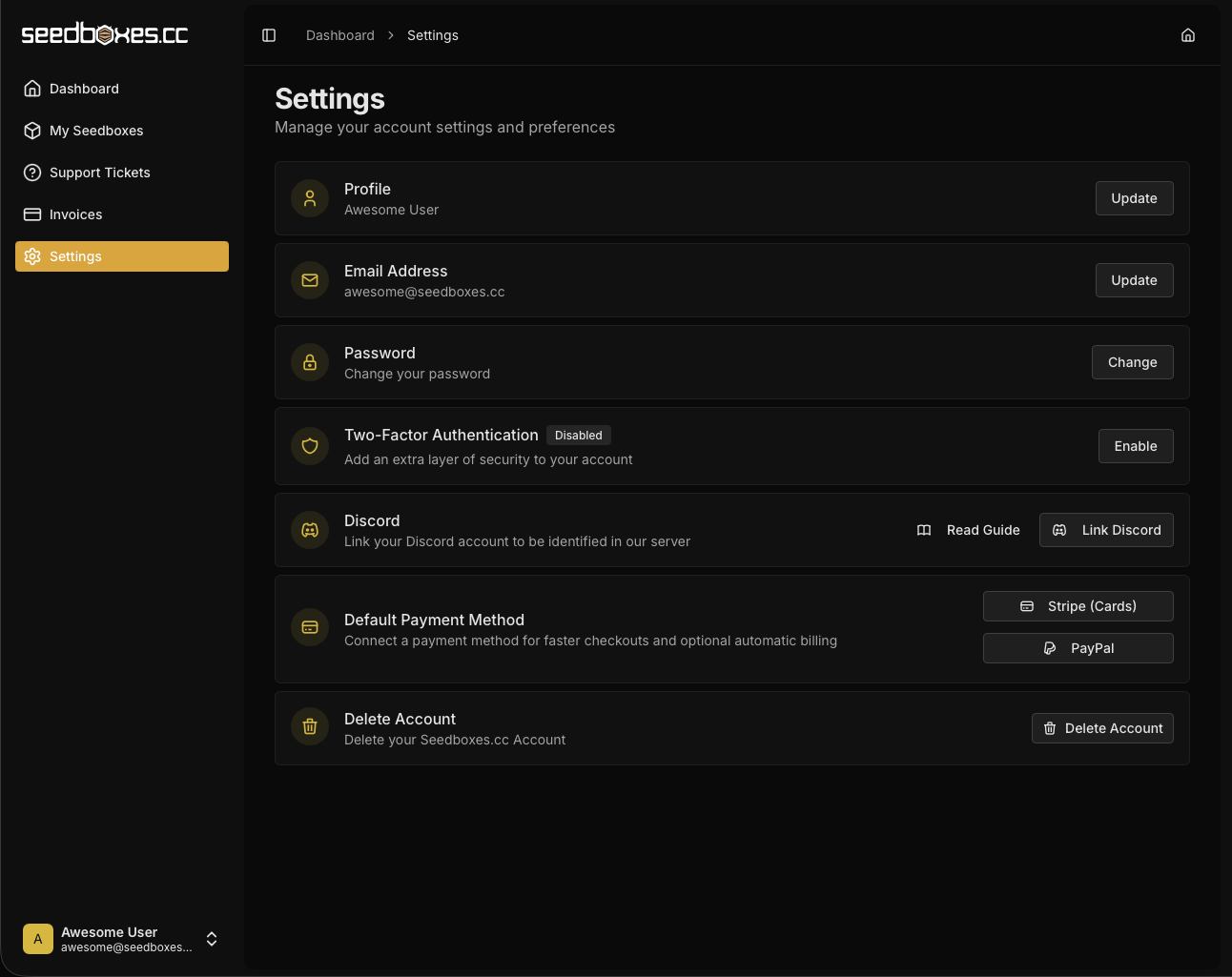
Click on the "Settings" link at the sidebar and then click either the the "Stripe" or "Paypal" button, next to the "Default payment method" section
-
If you choose Stripe, you will be redirected to Stripe to enter your card details. If you choose Paypal, a Paypal popup will open, where you need to login with your Paypal Account

-
After you login, you can choose the method, that will be used by Paypal to fund your payments. Please note, that the selected payment method will always be used, so make sure to choose the correct one. Avoid using "Bank Accounts" as funding sources, as payments via a bank accounts needs 4-5 Business days to clear.

-
When the process is completed, you will get a confirmation, that your account is now linked. By default, "Automatic payments" are enabled, but you can switch it off if you want. If you have your account linked with automatic payments off, you can pay your invoices with paypal or your card, without logging in your paypal account every time. If automatic payments are on, your invoices will always get paid automatically on due date, without you worrying that you might miss an invoice. If you want to cancel the link between your paypal and your account, you can do so by clicking on the "Remove" Button.